
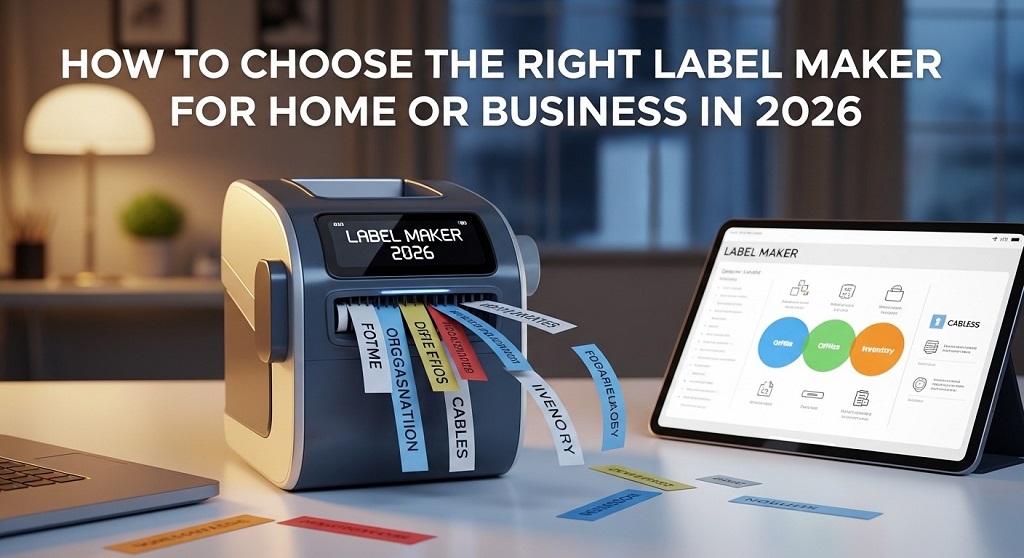
A label maker is a compact printer designed to create adhesive labels for organizing, shipping, inventory, cables, and storage. In 2026, choosing the right model matters because labeling is no longer just about organization—it directly impacts productivity, branding, and workflow efficiency.
Walk into any modern home office or warehouse and you will see labeled storage bins, barcode tags, file folders, cable markers, and shipping packages. Clear labeling reduces errors. It speeds up retrieval. It minimizes lost inventory.
According to warehouse productivity studies, businesses that implement structured labeling systems can reduce item retrieval time by up to 30%. That translates into saved labor costs and fewer operational mistakes. Even at home, labeled storage systems help families save time daily.
But not every portable label maker fits every use case. A home user organizing kitchen jars has different needs than an eCommerce seller printing 500 shipping labels per day.
This guide breaks down how to choose the best label printer 2026 offers—based on features, budget, workload, and real-world use cases.
What Problem Are Most Buyers Facing When Choosing a Label Maker?

The biggest problem is confusion between portable label makers and high-volume label printers. Many buyers either overspend on features they do not need or buy underpowered devices that cannot handle their workload.
Problem: The market is flooded with Bluetooth label makers, thermal shipping printers, barcode printers, and handheld models.
Agitation: Buying the wrong device results in wasted money, slow printing, incompatible labels, or frequent tape replacements. Businesses experience delays. Home users get frustrated.
Solution: Match the label maker type to your specific use case. Understand volume, connectivity, tape type, and print technology before purchasing.
What Types of Label Makers Are Available in 2026?
There are three main categories: handheld portable label makers, desktop thermal label printers, and industrial barcode printers.
1. Portable Label Maker
Best for home, office desks, classrooms, and small retail counters.
- Compact and battery powered
- Prints small adhesive labels
- Often supports Bluetooth app control
- Uses label tape cartridges
This is the most common option for homeowners and small teams.
2. Desktop Thermal Label Printer
Best for shipping labels, eCommerce, and logistics.
- Uses direct thermal technology
- Prints 4×6 shipping labels
- No ink required
- High-speed output
If you run Shopify, Amazon, or Etsy stores, this category likely fits you.
3. Industrial Barcode Printer
Best for warehouses and manufacturing.
- Prints barcode labels
- High durability
- Handles bulk roll printing
- Supports inventory management systems
Unless you operate large-scale logistics, this may be excessive.
How Do You Choose the Right Label Maker for Home Use?
Choose a portable label maker with Bluetooth connectivity, multiple font options, and affordable tape refills.
For home organization, focus on:
- Ease of use
- Mobile app compatibility
- Rechargeable battery
- Multiple tape sizes (6mm, 9mm, 12mm)
- Affordable replacement cartridges
Case example: A family using a Bluetooth label maker to organize pantry shelves reported reducing food waste after clearly labeling expiry dates. Visibility improves behavior.
You do not need industrial speed. You need convenience.
How Do You Choose the Best Label Printer 2026 for Small Business?
For small businesses, choose a thermal label printer that supports 4×6 shipping labels, fast print speed (at least 150mm/s), and USB or WiFi connectivity.
Key factors:
- Print speed (labels per minute)
- Compatibility with shipping platforms
- Resolution (203 dpi or 300 dpi)
- Label roll capacity
- No-ink thermal technology
Factual insight: Direct thermal printers eliminate ink costs entirely. Over 12 months, small eCommerce stores can save hundreds of dollars compared to inkjet label printing.
If you ship more than 50 orders per week, avoid handheld models. They will slow you down.
What Features Should You Compare Before Buying?
Always compare print technology, connectivity, tape type, speed, durability, and long-term cost.
| Feature | Why It Matters | Who Needs It |
|---|---|---|
| Direct Thermal Printing | No ink cost | Shipping businesses |
| Bluetooth Connectivity | Mobile app printing | Home & small office |
| 300 DPI Resolution | Clear barcodes | Inventory management |
| Rechargeable Battery | Portability | Retail & classroom |
| Wide Label Compatibility | Flexibility | Growing businesses |
Look beyond price. Evaluate cost per label over time.
Is Direct Thermal Better Than Ink-Based Printing?
Yes, for most label printing needs in 2026, direct thermal is more cost-effective and maintenance-free.
Direct thermal printers:
- Require no ink or toner
- Have fewer moving parts
- Lower maintenance cost
- Print faster
However, thermal labels can fade over long exposure to heat or sunlight. For archival needs, consider thermal transfer models.
How Important Is Connectivity in 2026?
Connectivity determines convenience and workflow integration.
Modern label makers support:
- USB
- Bluetooth
- WiFi
- Cloud-based printing
If you manage inventory via software, ensure compatibility before purchasing.
For home users, Bluetooth is enough. For businesses, USB + WiFi ensures flexibility.
What Budget Should You Expect?
In 2026, portable label makers range from $25–$80, while professional thermal label printers range from $90–$250.
Cost considerations include:
- Replacement label tape price
- Thermal label roll cost
- Warranty period
- Durability rating
Low upfront price does not mean low long-term cost. Cheap cartridges can double yearly expenses.
How Do Real Businesses Benefit from Choosing the Right Label Printer?
Businesses report improved shipping speed, fewer return errors, and clearer inventory control.
Case data from small fulfillment centers shows that switching from manual labeling to automated thermal label printing reduced labeling time per package from 2 minutes to under 30 seconds.
That equals over 25 hours saved per 1,000 packages.
Efficiency compounds over time.
Should You Buy a Portable Label Maker or a Shipping Label Printer?
If you organize, choose portable. If you ship, choose thermal.
Decision checklist:
- Under 20 labels per day → Portable label maker
- 50+ shipping labels weekly → Thermal printer
- Barcode inventory system → 300 DPI thermal printer
Match tool to task.
Conclusion: How Do You Make the Final Decision?
The right label maker in 2026 depends on usage volume, connectivity needs, and long-term cost efficiency.
If you organize home storage or office files, a Bluetooth portable label maker is enough.
If you run an online store or warehouse, invest in a direct thermal label printer to eliminate ink costs and increase speed.
Do not buy based on trend. Buy based on workflow.
Take five minutes today to calculate how many labels you print weekly. Then choose the device that supports growth—not just today’s workload.
Ready to upgrade your labeling system? Start comparing models based on the criteria above and choose the best label printer 2026 offers for your specific needs.
Frequently Asked Questions (FAQs)
1. What is the difference between a portable label maker and a thermal label printer?
A portable label maker prints small adhesive labels using tape cartridges. A thermal label printer prints larger shipping or barcode labels using heat-sensitive paper rolls.
2. Do thermal label printers require ink?
No. Direct thermal printers use heat to print on special paper, eliminating ink or toner costs.
3. How long do thermal labels last?
Thermal labels can last 6–12 months depending on exposure to heat and sunlight. For long-term archival storage, thermal transfer is better.
4. What DPI is best for barcode labels?
203 DPI works for most shipping needs. 300 DPI is recommended for small or complex barcodes.
5. Are Bluetooth label makers reliable?
Yes, modern Bluetooth label makers offer stable connections for home and office use, especially for low-volume printing.
6. What is the average lifespan of a label printer?
Most quality thermal printers last 3–5 years with proper maintenance.
7. Can I use a label printer for Amazon or Shopify shipping?
Yes. Most direct thermal printers support standard 4×6 shipping labels compatible with major eCommerce platforms.
Related Topics: 15 No-Spend Month Rules to Transform Your Financial Habits
What Next: The Ultimate Guide to Personalized Workout Plan Generators




Leave a Reply