
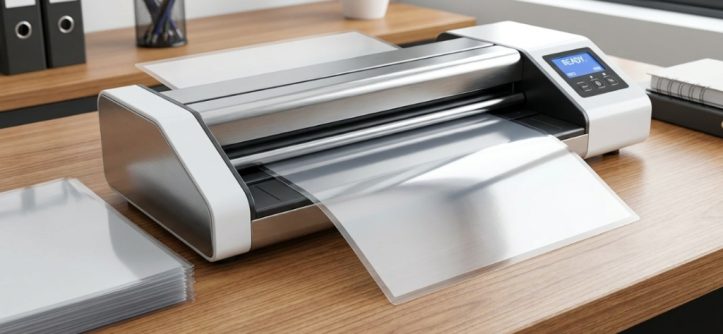
Walking into a meeting with a freshly laminated document that has curled edges, bubbling film, or a cloudy finish is frustrating. You invested time in creating clean, professional materials, but low-quality pouches or mismatched equipment ruined the impression. The problem usually isn’t your printer or your design—it’s the supplies you chose. Whether you are protecting employee handbooks, preserving training charts, or preparing client-facing presentation folders, understanding your options is the first step toward consistently crisp outcomes. This guide breaks down exactly what you need to know about office laminating supplies, including film types, thickness levels, and practical storage advice.
Key Takeaways
- Thermal pouches are the most reliable choice for standard office tasks because they bond tightly and produce durable, clear results.
- Pouch thickness (measured in mil) directly impacts rigidity; 3 mil is flexible for everyday use, 5 mil offers heavy-duty protection, and 10 mil creates rigid cards.
- Never run a pouch through a machine rated for a lower maximum thickness—it will jam or cause permanent damage to the rollers.
- Always keep a carrier (the cardboard folder that comes with your supplies) when laminating anything smaller than the pouch itself; this prevents adhesive from leaking onto machine parts.
- For specialized materials like fabric or heat-sensitive ink, more affordable and practical options are available. For standard office paper, however, thermal pouches remain the industry standard.
Understanding the Different Types of Laminating Supplies
The term “laminating supplies” covers several categories, and choosing the wrong type is a common source of frustration. Before buying anything, it helps to distinguish between the two primary systems used in office settings: thermal and cold (pressure-sensitive).
Thermal Film and Pouches
Thermal lamination uses heat to melt an adhesive layer inside the film, bonding it permanently to the paper. This is the most common method for offices that handle frequent printing and document protection. You apply heat using a dedicated laminator machine. The finished product is clear, archival-quality, and resistant to moisture and tearing.
Choosing Between Pre-Cut Pouches and Rolls
Pre-cut pouches are sealed on one side, leaving one open end. You slide your document in and run it through the machine. They are ideal for standard sizes like letter (8.5” x 11”) and legal (8.5” x 14”). For high-volume operations that laminate many posters or maps, you might consider roll film, which requires a separate roll feeder. However, for most offices, pre-cut pouches offer greater convenience and less waste because you use exactly the size you need. If you are looking for a dependable starting point, many professionals stock up on office laminating supplies that include pre-cut thermal sheets for efficient daily use.
Cold Lamination (Pressure-Sensitive)
Cold lamination relies on adhesive and pressure rather than heat. It is primarily used for materials that cannot withstand high temperatures, such as photographs printed with dye-based inks, heat-sensitive paper, or items with wax-based surfaces. While cold rolls require a specific machine, you can also purchase self-adhesive sheets for small jobs that don’t require a machine at all.
Here is a quick comparison to help you decide:
| Feature | Thermal Lamination | Cold Lamination |
|---|---|---|
| Bond Strength | Permanent, tight adhesive bond | Depends on adhesive quality; usually strong |
| Surface Finish | Glossy, clear, and professional | Can have a matte or satin finish option |
| Suitable For | Standard paper, most office documents | Photographs, heat-sensitive inks, fabric |
| Equipment Required | Heated pouch laminator | Cold machine or manual pressure |
| Cost | Moderate; depends on pouch quality | Higher for good-quality adhesive rolls |
Critical Considerations When Buying Laminating Supplies
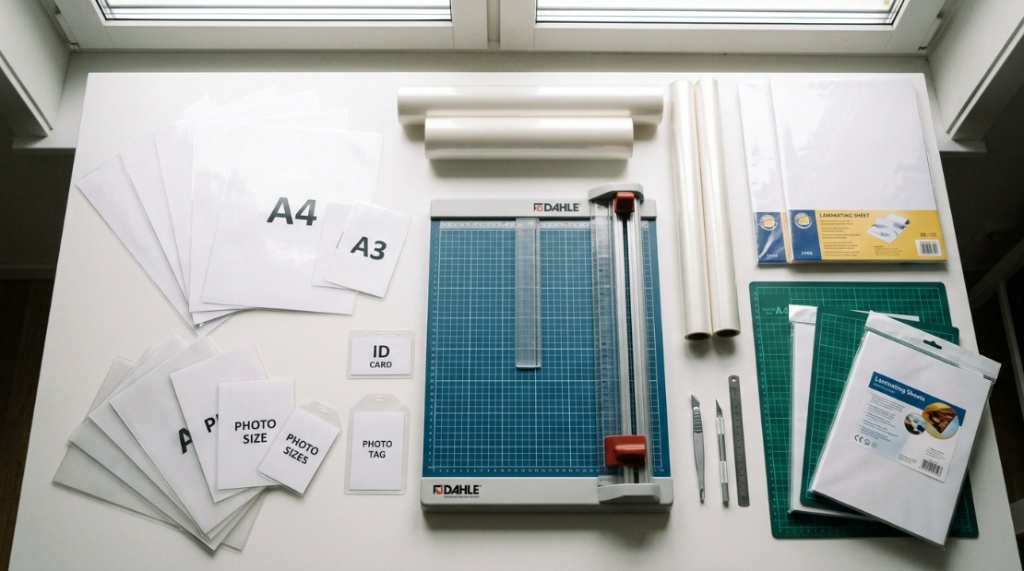
Even experienced office managers sometimes overlook the small details that determine whether a pouch will work or fail. Next time you place an order, consider these five critical factors before you click “checkout.”
Pouch Thickness: Understanding Mil
One of the most frequent mistakes in purchasing assumes that thicker is always better. While 10 mil pouches are exceptionally sturdy, they are not suitable for every document or every machine. A 3 mil pouch (approximately the thickness of a file folder) is flexible, which makes it easier to fold, file, and mail. A 5 mil pouch offers a good balance of rigidity for menus or signs, while 10 mil is used for badges, tags, and luggage labels where you want a stiff plastic card. The limitation is that each laminator has a maximum mil rating. Check the manufacturer’s specifications before you buy the thicker films. Running a 10 mil pouch through an entry-level machine rated for 5 mil will likely result in a jam that requires costly repair.
Adhesive Quality and Residue
Inexpensive thermal pouches often contain low-grade adhesive that separates unevenly when heated. This can create a mottled, cloudy appearance or leave dark lines near the edges where the glue pooled. High-quality pouches are manufactured with a uniform adhesive coating that activates evenly across the entire sheet. A good test to perform at home is to laminate a piece of paper with black text and hold it up to bright light. If you see faint streaking or halo effects, the adhesive structure is inconsistent, which leads to a less professional look.
Carrier/Waste Pouch Requirements
Most laminator manuals instruct you to run a folded carrier (the reusable folder that comes with the machine) every time you laminate a standard-size document. This carrier protects the rollers from stray adhesive and ensures a smooth feed. You should also place smaller items, such as ID cards or bookmarks, inside the carrier before sending them through the machine to prevent jamming. If you lose the carrier, you can usually order a replacement from the manufacturer or use an old pouch that has been sealed shut and cut open on two sides to create a folder. Keeping a couple of spare carriers in your supply drawer is practical advice that many people ignore until they hit a jam.
Compatibility with Your Laminator
Not all pouches work in all machines. While most thermal pouches are nominally standard, the heat output and speed of the rollers vary. If your machine runs hot, a very thin pouch might shrink or warp. If it runs cool, a thick pouch may come out tacky and unsealed. The safest approach is to run a test sheet with the specific pouch brand you intend to use before committing to a large batch. This is especially important if you are switching brands after using one type for years.
Printer Ink Compatibility
Heat from the laminator can reactivate the toner or ink on a freshly printed page. If you print with a laser printer, the toner fuses at a high temperature and is usually resistant to post-lamination heat. Inkjet prints, however, contain liquid dyes or pigments dissolved in water. When subjected to lamination heat, these inks can smear, streak, or bubble, ruining the intended display. To avoid this problem, use inkjet output for documents that will be laminated only after allowing them to dry for at least 24 hours. This ensures the ink has fully evaporated and bonded to the paper fibers. Pair your fully protected documents with crisp, high-quality printing by using the best office printer paper for crisp printing for all your daily professional needs.
A Practical Pouch-Buying Guide for Offices
When you are ready to purchase, follow these guidelines to match the pouch to the job:
- Frequent filing and handling: Use 3 mil pouches for sheets that will be kept in binders or boxes.
- Menus and price lists: Use 5 mil to limit curling and resist frequent handling.
- Signage and posters: Choose 7 mil or use cold roll lamination if the substrate is heavier.
- Employee badges and ID tags: Use 10 mil pouches and ideally a heat press for crisp corners.
- Photo displays: Select a matte surface if glare is a concern, but be aware that matte finishes can slightly reduce perceived image sharpness.
The trade-off between clarity and durability is real. Glossy finishes tend to make colors appear more vibrant, while matte finishes hide fingerprints and glare. If your laminating needs involve a mix of documents, it is often wise to keep two different pouch types on hand—a 3 mil glossy for standard communication and a 5 mil matte for anything that will be displayed under harsh lighting.
Potential Issues with Low-Quality Supplies
Many issues come directly from the quality of the raw materials. Here are common defects you might encounter and what they signal:
- Bubbling and delamination: This happens when the adhesive fails to bond completely because the temperature was too low or because the film itself has an uneven coating.
- Excessive curling of the finished piece: Curl usually results from the pouch being thicker on one side due to how it was cut and sealed during manufacturing.
- Cloudiness or whitening: Moisture inside the pouch evaporates as it heats, creating a fogged appearance. Always store pouches in a dry, cool drawer.
- Jamming at the rollers: If you confirm the thickness is within the machine’s range, then the jam is likely due to a poor carrier or an asymmetrical pouch edge.
Storage and Maintenance of Laminating Supplies
Laminating pouches have a limited shelf life, depending heavily on their environment. They consist of polyester and an adhesive layer that is sensitive to humidity and ultraviolet light. Storing them in a damp basement or a sunny office corner can cause them to curl or turn yellow over time. For best results, keep pouches in their original box in a temperature-controlled room, away from direct sunlight. Rotate your stock so that older pouches are used first. Adhesives can degrade unpredictably, so relying on a box that has been sitting in a drawer for three years can lead to poor results, even if the pouch looks normal. Most manufacturers do not publish an official expiration date for thermal pouches, as they are technically stable for years if stored properly, but you should avoid using them if they have become warped or brittle to the touch. If you notice the film has a crinkled texture before you even use it, that is a strong signal to discard it and purchase a new batch.
Frequently Asked Questions
What is the best thickness for laminating standard office documents?
For standard letter-size paper that will be filed, stored, or mailed, 3 mil is ideal because it remains flexible and does not add unnecessary bulk. Menus or signs that receive heavy handling should use 5 mil for added stiffness.
Can I run a laminating pouch through the machine twice?
No. Once a pouch has been through the laminator, the adhesive has already set. Running it through a second time will not improve the seal; it will simply expose the plastic to excessive heat, potentially causing warping or shrinking.
My laminating machine only takes 5 mil pouches, but I need something sturdier. What are my options?
You could purchase a higher-rated machine, but that is costly. Instead, consider reinforcing the document by placing two 3 mil pouches inside a carrier and using cold lamination tape, though this yields less professional results. The better practice is to buy a machine that handles at least 7 mil to future-proof your office needs.
Why do my laminated documents always come out wrinkled at the edges?
Always leave a small margin of the pouch free at the leading edge to ensure proper roller grip and prevent the film from folding over on itself.
Are thermal pouches archival quality?
Most reputable brands use acid-free adhesive, making them safe for long-term storage. However, if preservation is your main concern, research “archival laminating film” that explicitly states it is buffered and acid-free.
Is it better to buy pouches in bulk to save money?
Buying a massive box of an unrated or unknown brand could lead to wasted material if they jam or fail to seal correctly. Test one pouch first.
Conclusion
Selecting the right office laminating supplies does not have to be a guessing game. The key is to match the film thickness to the task, verify the adhesive quality, and ensure your storage conditions protect the pouches from moisture. Start with a mid-range 3 mil or 5 mil thermal pouch from a known brand and test it on a sample document before committing to a large order. This small step will eliminate 90% of the wrinkles, jams, and cloudy finishes that plague office lamination projects. When you prepare your next supply order, remember that your machine is only as good as the consumables you feed it. Choose wisely, follow the guidelines here, and your documents will consistently look clean and hold up to daily wear.




Leave a Reply