
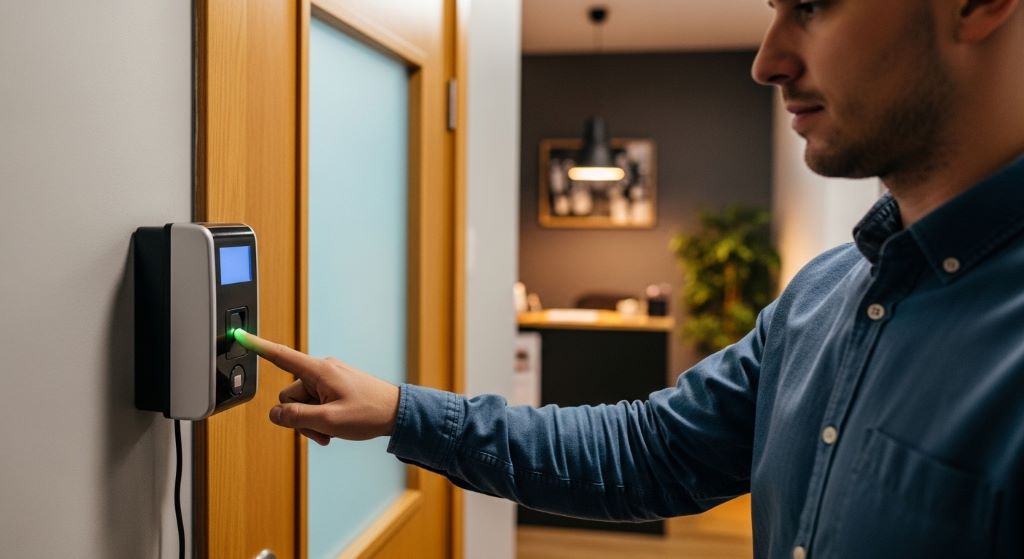
Running a small business is no easy task. You wear many hats — manager, accountant, and often the person who handles HR. One area that causes constant headaches for small business owners is tracking employee attendance. Manual methods like paper registers or punch cards are slow, error-prone, and easy to misuse. Fortunately, modern biometric attendance machines offer a smarter solution. These devices help you save time, reduce errors, and build a more productive team. In this guide, you will learn how to use them effectively for real business growth.
What Is a Biometric Attendance Machine?
A biometric attendance machine is a device that records employee check-in and check-out times using unique biological traits. The most common types use fingerprint scanning. However, many modern models also use facial recognition or iris scanning. Each employee registers their biometric data once. After that, the machine identifies them instantly every time they scan.
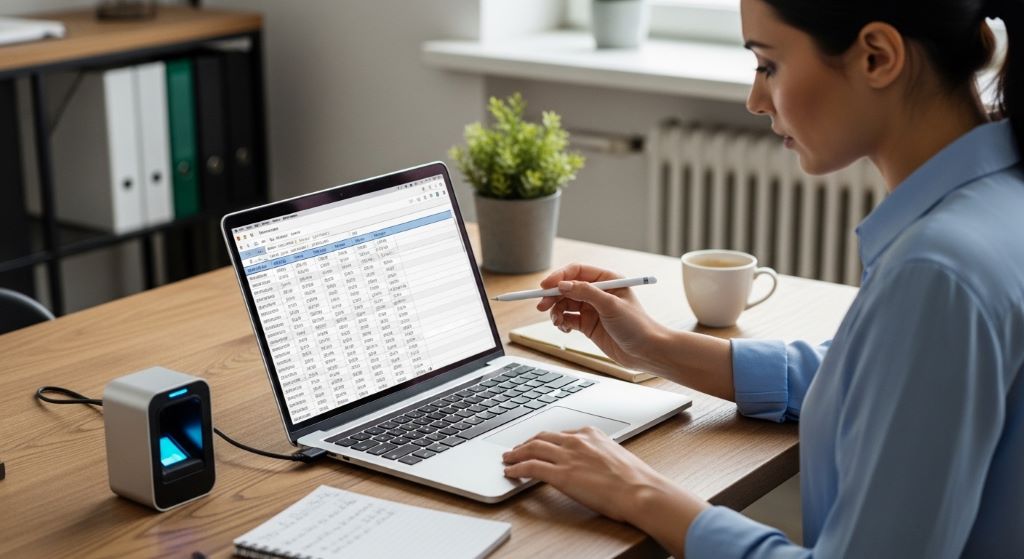
These machines connect to software that stores attendance records automatically. Therefore, you get accurate data without any manual input. For small and medium businesses, this is a game changer. You no longer need to rely on spreadsheets or trust paper logs. Everything is recorded, stored, and ready to use.
Why Small Businesses Need Biometric Attendance Systems
Many small business owners assume these systems are only for large corporations. That is simply not true. Today, you can find an affordable attendance machine that fits a tight budget without sacrificing quality. Here is why small businesses especially need this technology:
- Buddy punching is a common problem where one employee clocks in for another. Biometric systems make this impossible.
- Manual attendance tracking wastes hours every month. Automation gives that time back to you.
- Payroll errors decrease significantly when attendance data is accurate and automatic.
- Employee accountability improves when everyone knows the system tracks time precisely.
Additionally, a reliable attendance record helps you comply with local labor laws. This protects your business from legal disputes related to overtime or working hours.
How to Set Up a Biometric Attendance Machine in Your Business
Setting up a biometric attendance machine is simpler than most people expect. You do not need a large IT team or technical expertise. Follow these basic steps to get started.
Step 1: Choose the Right Device
Start by assessing your needs. How many employees do you have? Do you need cloud-based data access or is a local server fine? Look for SME workforce tools that offer easy setup, local language support, and good after-sales service. Choose a device that matches your team size and daily traffic at the entry point.
Step 2: Install the Device in a Convenient Location
Place the machine near your main entrance. Make sure it is at a comfortable height for all employees. Ensure the area has stable internet or LAN connectivity if required by the software. Proper placement reduces delays during peak entry hours.
Step 3: Enroll Your Employees
Each employee needs to register their fingerprint, face, or both. This process usually takes under a minute per person. Once enrolled, the system recognizes them instantly. Keep a record of which ID number belongs to each employee in case you need to troubleshoot later.
Step 4: Connect the Machine to Attendance Software
Most biometric machines come with bundled software. However, many also integrate with popular HR and payroll platforms. Connect the machine to your software and test it with a few employees. Make sure data syncs correctly before rolling it out to the full team.
Step 5: Train Your Team
Hold a short training session to show employees how the system works. Explain that the data is used only for attendance and payroll. This reduces resistance and builds trust. People are generally comfortable with the system once they understand how it benefits everyone.
Using Attendance Data to Drive Business Growth
Collecting attendance data is just the beginning. The real value comes from how you use that data. Here is how smart business owners turn attendance records into growth opportunities.
Identify Patterns in Absenteeism
If a particular employee is consistently late on Mondays, that is worth a conversation. Attendance software lets you spot these patterns quickly. You can then address issues before they become bigger problems. Therefore, your team stays on track without micromanagement.
Streamline Payroll Processing
Manual payroll calculations take hours and often contain errors. With accurate attendance data, your payroll team can process salaries in a fraction of the time. Additionally, you pay employees exactly what they earn — no more, no less. This fairness builds loyalty and trust in the workplace.
Improve Shift Planning
Attendance data shows you which shifts are understaffed and which are overstaffed. Use this information to plan better. When you have the right people at the right time, productivity goes up. That directly translates to better customer service and higher revenue.
Reward Punctuality and Performance
You can use attendance records to recognize employees who are consistently on time and hardworking. A simple reward system boosts morale. When employees feel valued, they work harder and stay longer. Reducing staff turnover is one of the most powerful ways to protect your bottom line.
Choosing an Affordable Attendance Machine Without Compromising Quality
Budget is always a concern for small businesses. However, you do not have to spend a fortune to get reliable technology. There are many affordable attendance machine options on the market today that offer excellent features at a reasonable price.
When comparing options, look for these key features:
- Fast recognition speed (under two seconds per scan)
- Large employee capacity (at least 500 to 1,000 fingerprints)
- Cloud or USB data export for easy report generation
- Compatibility with common HR or payroll software
- Warranty and local technical support
Prices vary widely depending on brand and features. Nevertheless, entry-level biometric devices for small businesses can be found for very reasonable prices. Think of it as an investment that pays for itself within the first few months through saved admin time and reduced payroll errors.
Common Mistakes to Avoid When Using Biometric Attendance Systems
Even the best technology can underperform if used incorrectly. Here are some pitfalls to watch out for:
- Not enrolling all employees properly. Missing or poor-quality fingerprint data leads to constant errors.
- Ignoring software updates. Keep your device firmware and software current for best performance and security.
- Failing to back up data regularly. Always set automatic backups to avoid losing records.
- Not communicating policies clearly. Employees should know the attendance rules and how data will be used.
Conclusion
Biometric attendance machines are no longer a luxury for big corporations. They are practical, accessible, and genuinely valuable for small businesses. By choosing the right device, setting it up properly, and using the data wisely, you can reduce costs, improve productivity, and create a more accountable workplace.
The key takeaways are simple. Biometric machines eliminate buddy punching and manual errors. They streamline payroll and shift planning. They also give you data to reward good employees and address problems early. Additionally, today’s SME workforce tools are designed to be user-friendly and budget-conscious. Therefore, there is no reason to delay. Even one affordable attendance machine can transform how your business manages its most important asset — its people.
Frequently Asked Questions (FAQs)
1. Are biometric attendance machines suitable for businesses with fewer than 20 employees?
Yes, absolutely. Many biometric devices are designed specifically for small teams. They are cost-effective and easy to manage. Even a team of five or ten people benefits from accurate, automated attendance tracking.
2. Is employee biometric data safe and private?
Reputable biometric systems store data as encrypted templates, not actual fingerprint images. The data cannot be reverse-engineered into a fingerprint. However, you should always inform employees about how their data is collected and used, in line with local privacy laws.
3. What happens if an employee’s fingerprint is not recognized?
This can happen due to dry skin, cuts, or dirt on the finger. Most systems allow employees to register multiple fingers as a backup. Some devices also offer PIN or card-based backup options to ensure no one is locked out.
4. Can a biometric attendance machine work without internet?
Yes. Most standalone biometric devices store data internally and do not need a constant internet connection. You can export data via USB or connect via LAN. Cloud-connected models, however, do require a stable internet connection for real-time data sync.
5. How long does it take to install and set up a biometric attendance machine?
Installation is typically completed within a few hours. Enrolling employees takes about one to two minutes per person. For a team of 20, you could have the system fully operational within a single workday. Many vendors also offer on-site setup support.
Related Topics:
The True Cost of Hiring a CPA for Your Small Business
What Are the Top Accounting Firms for Small Businesses?




Leave a Reply