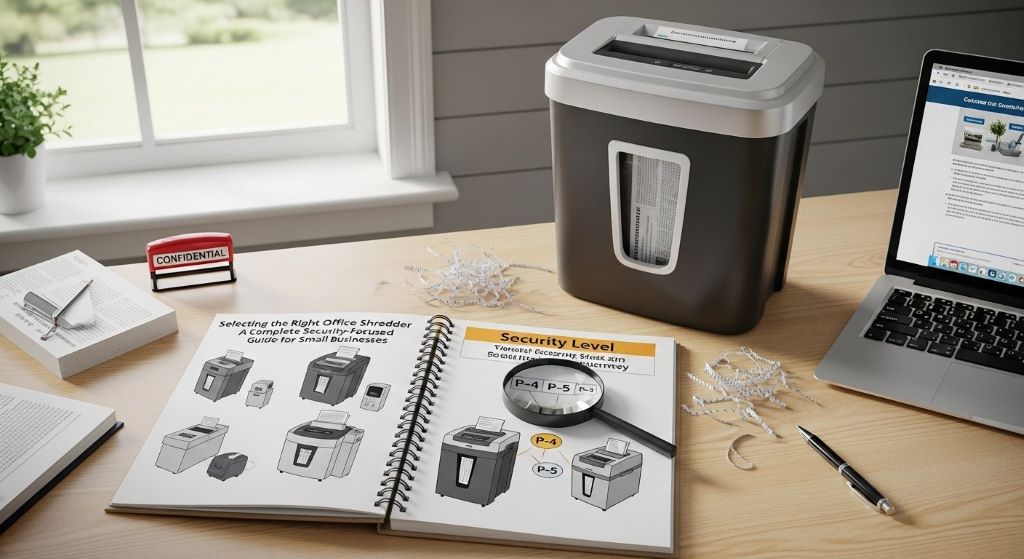
How to Pick a Small Office Paper Shredder That Meets Security Needs
Choosing the right paper shredder for your workplace involves more than just finding a machine that cuts paper. Security concerns, operational efficiency, and long-term reliability all play crucial roles in this decision. Therefore, understanding what features matter most will help you make an informed choice that protects your business information while fitting your budget.
Understanding Security Levels and Why They Matter
Security levels determine how thoroughly a shredder destroys documents. The DIN P-1 through P-7 classification system provides a standardized way to evaluate destruction capabilities. Lower levels create long strips, while higher levels produce confetti-like particles that are nearly impossible to reassemble.
For most small offices, a P-3 or P-4 rating offers adequate protection. These levels turn documents into small pieces measuring approximately 2mm to 4mm wide. However, organizations handling sensitive financial data, medical records, or legal documents should consider P-4 or higher ratings.
The type of cut also affects security. Strip-cut models create long ribbons of paper, making them the least secure option. Cross-cut shredders slice documents both vertically and horizontally, creating rectangular pieces. Micro-cut technology goes further, producing tiny particles that provide superior protection against identity theft and data breaches.
Evaluating Sheet Capacity and Speed
Daily document volume significantly influences which model works best for your situation. A shredder with insufficient capacity causes frustration and workflow interruptions. Conversely, investing in an industrial-grade machine for minimal shredding needs wastes money.
Small offices typically benefit from machines handling between eight and twelve sheets simultaneously. This capacity allows quick processing of standard documents without constant paper jams. Additionally, consider how often employees need to shred materials throughout the day.
Speed measurements indicate how many feet of paper a machine processes per minute. Faster models complete jobs quickly, reducing wait times during busy periods. Nevertheless, speed should not overshadow other important factors like security level and reliability.
Assessing Run Time and Cool Down Periods
Continuous operation capabilities determine how long a shredder can work before requiring a break. Entry-level models often run for five to ten minutes before needing cool down time. This limitation can prove problematic when multiple employees need to shred documents simultaneously.
Therefore, examining duty cycles helps predict real-world performance. A machine rated for ten minutes of continuous use followed by a twenty-minute cool down period may struggle in busy environments. Commercial-grade options designed for longer run times better serve offices with frequent shredding requirements.
Heat buildup damages internal components over time. Consequently, respecting recommended duty cycles extends equipment lifespan and prevents unexpected breakdowns. Installing a shredder with adequate run time for your office volume prevents these issues.
Bin Size and Waste Management Considerations
Wastebasket capacity directly impacts maintenance frequency. Smaller bins require frequent emptying, which interrupts productivity and creates additional tasks for staff members. Larger receptacles reduce these interruptions but take up more floor space.
A typical small office generates varying amounts of shredded material depending on industry and document retention policies. Financial services firms and legal practices usually produce more waste than retail businesses or service providers. Matching bin size to your actual output prevents constant emptying while avoiding overly bulky equipment.
Transparent windows on waste bins provide visual indicators of fullness. This feature helps prevent overfilling, which can jam mechanisms and damage motors. Furthermore, some models include bag systems that simplify disposal and keep shredded materials contained.
Examining Safety Features and Certifications
Modern shredders incorporate various safety mechanisms to protect users from injuries. Auto-reverse functions detect jams and reverse paper flow to clear blockages. This feature prevents motor strain and reduces the need for manual intervention.
Safety sensors detect hands near cutting blades and immediately halt operation. This protection is particularly important in environments where children might be present or where multiple untrained employees use the equipment. Additionally, thermal overload protection prevents fires by shutting down machines that overheat.
Certifications from recognized testing laboratories indicate compliance with safety standards. UL listings and other marks demonstrate that independent organizations have verified a product meets specific safety criteria. These certifications provide peace of mind regarding fire hazards and electrical safety.

Noise Levels and Workplace Comfort
Sound output affects workplace atmosphere and employee comfort. Shredders operating at high decibel levels create distractions that reduce concentration and productivity. Therefore, checking noise ratings helps maintain a pleasant working environment.
Most manufacturers list decibel ratings in product specifications. Models producing less than 60 decibels operate relatively quietly, similar to normal conversation levels. Machines exceeding 70 decibels can prove disruptive, especially in open office layouts.
Placement also influences perceived noise. Locating equipment in copy rooms, storage areas, or other separated spaces minimizes disruption to workers at their desks. Additionally, anti-vibration pads reduce rattling and transmission of sound through floors and furniture.
Additional Features That Enhance Functionality
Modern shredders often include capabilities beyond basic paper destruction. Credit card slots handle plastic cards that standard cutting mechanisms might damage. CD and DVD destruction features eliminate digital storage media securely.
Staple and paperclip handling eliminates time-consuming document preparation. This convenience speeds up shredding processes, though it may increase jam frequency with some models. Evaluating whether these features justify potential maintenance increases depends on your specific workflow.
Energy-saving modes reduce electricity consumption during idle periods. Sleep functions activate after predetermined inactive intervals, cutting power draw significantly. These features lower operating costs and support environmental sustainability goals.
Maintenance Requirements and Long-Term Costs
Regular maintenance extends shredder lifespan and maintains optimal performance. Lubricant sheets keep cutting blades sharp and prevent jams. Most manufacturers recommend oiling every few uses, though some newer models incorporate self-lubricating systems.
Blade sharpening or replacement eventually becomes necessary with heavy use. Some designs allow users to perform this task, while others require professional service. Understanding maintenance demands helps predict total ownership costs beyond the initial purchase price.
Warranty coverage provides protection against defects and premature failures. Comprehensive warranties covering both parts and labor for extended periods indicate manufacturer confidence in product quality. Reading warranty terms carefully reveals what situations qualify for coverage and what actions void protection.
Balancing Budget Constraints with Security Needs
Price ranges for small office shredders vary widely based on features and capabilities. Entry-level strip-cut models start around fifty dollars, while high-security micro-cut machines can exceed several hundred dollars. However, the cheapest option rarely provides adequate protection for business documents.
Mid-range cross-cut shredders typically offer the best value for most small offices. These machines balance security, capacity, and durability without excessive costs. Spending between one hundred and two hundred dollars usually secures reliable equipment with appropriate security levels.
Long-term value considerations extend beyond purchase price. Cheaper machines often fail sooner, requiring replacement. Additionally, inadequate security levels may expose organizations to data breach risks that far exceed equipment savings. Therefore, viewing shredders as security investments rather than simple office supplies guides better decisions.
Matching Shredder Type to Document Volume
Different operational patterns require different equipment characteristics. Offices with occasional shredding needs manage well with basic models offering moderate capacity and shorter run times. Daily document destruction demands more robust machines capable of handling consistent workloads.
The best shredder for office use depends on specific circumstances rather than universal recommendations. A tax preparation firm during filing season faces different demands than a small retail shop. Analyzing actual usage patterns provides clarity about necessary features.
Multiple-user environments benefit from centralized, higher-capacity units rather than several small personal shredders. This approach ensures consistent security levels and simplifies maintenance. Conversely, individual shredders suit private offices where confidentiality requires destroying documents at desks.
Environmental Impact and Sustainable Practices
Shredded paper can often be recycled, reducing environmental impact. However, mixing different materials like plastic cards or CDs with paper may contaminate recycling streams. Separating waste types maintains recyclability and supports sustainability initiatives.
Energy efficiency varies among models. Choosing machines with energy-saving certifications reduces electricity consumption and lowers operating costs. Furthermore, durable construction that extends product lifespan prevents premature disposal and reduces waste.
Some manufacturers incorporate recycled materials in their products or offer take-back programs for old equipment. These practices align with corporate sustainability goals and responsible waste management. Evaluating environmental considerations alongside security and performance creates well-rounded purchasing decisions.
Making the Final Selection
Selecting an office shredder requires balancing multiple factors against your specific needs. Security requirements form the foundation, determining minimum acceptable destruction levels. Capacity and speed ensure the machine handles your document volume without frustrating delays.
Durability and warranty coverage protect your investment over time. Additionally, features like quiet operation, safety mechanisms, and energy efficiency enhance overall value. Creating a prioritized list of requirements helps compare options systematically.
Reading reviews from other small business owners provides practical insights into real-world performance. Professional evaluations complement user experiences, offering technical perspectives on build quality and reliability. Together, these resources guide confident purchase decisions.
Conclusion
Finding the right office shredder protects sensitive information while supporting efficient workflows. Security levels, sheet capacity, and operational characteristics all influence which machine best serves your needs. Furthermore, considering factors like noise output, safety features, and maintenance requirements ensures long-term satisfaction with your choice.
The best shredder for office use balances security capabilities with practical operational demands. Taking time to evaluate your specific requirements prevents costly mistakes and provides reliable document destruction for years. By following these guidelines, small offices can confidently select equipment that meets both security standards and budget constraints.
Frequently Asked Questions
What security level should a small office choose for general document shredding?
Most small offices find P-3 or P-4 security levels adequate for protecting standard business documents. These ratings produce small particles that prevent easy reconstruction. However, organizations handling highly sensitive information like medical records or financial data should consider P-4 or higher ratings for enhanced protection.
How often should I oil my paper shredder?
Oiling frequency depends on usage volume and manufacturer recommendations. Generally, lubricating after every thirty minutes of cumulative operation maintains optimal performance. Using specialized shredder oil sheets makes this process quick and mess-free. Regular oiling prevents jams and extends blade life significantly.
Can office shredders handle stapled documents?
Many modern shredders handle staples and small paperclips without requiring removal. However, this capability varies by model. Check specifications before purchasing if this feature matters for your workflow. Machines without this capability require removing all metal fasteners before shredding to prevent damage.
What causes paper jams and how can I prevent them?
Exceeding sheet capacity is the most common jam cause. Additionally, shredding folded documents, feeding paper at angles, or neglecting lubrication creates problems. Preventing jams requires following capacity guidelines, feeding paper straight, and maintaining equipment properly. Auto-reverse features help clear minor jams automatically.
How long should a quality office shredder last?
Well-maintained shredders from reputable manufacturers typically last three to five years with regular office use. Heavier usage may shorten lifespan, while light use extends it. Proper maintenance, respecting duty cycles, and choosing appropriately rated equipment for your volume maximizes longevity and return on investment.
Related Topics:
Transparency in Foreign Influence: A Comprehensive Guide to FARA Compliance
Choosing the Right Bathroom Furniture