
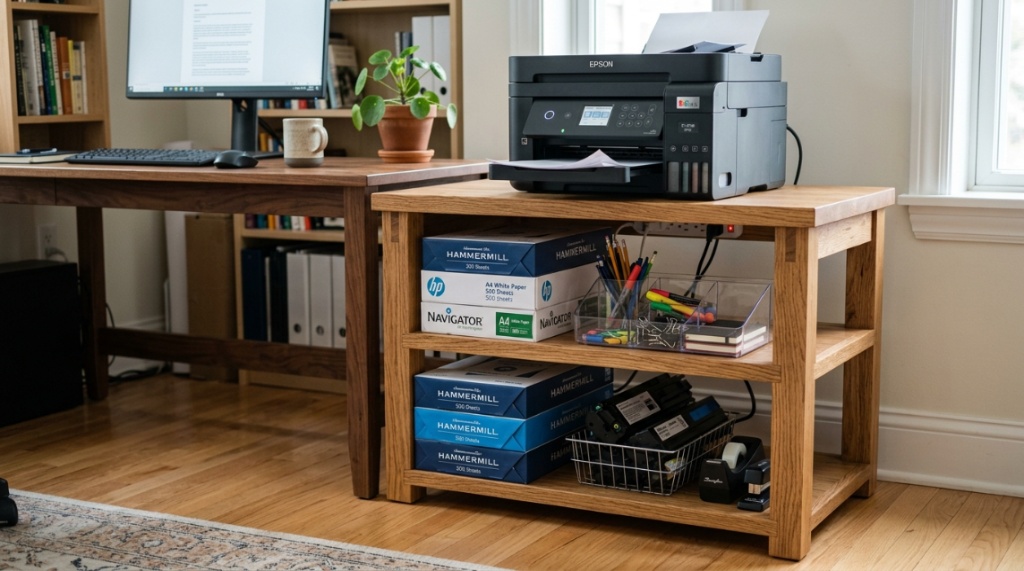
You just bought a heavy-duty laser printer for your home office, and now it’s sitting on a flimsy folding table that wobbles every time you press print. Sound familiar? The problem isn’t your printer—it’s the surface beneath it. A wooden printer stand can solve this immediately, but only if you choose one built to last. Many stands look good in photos but warp, crack, or sag within months. This guide will show you exactly how to identify a durable stand that supports your equipment, fits your space, and stays solid for years.
What Makes a Wooden Printer Stand Truly Durable?
A durable wooden printer stand starts with the material. Solid hardwood like oak, maple, or walnut provides superior strength compared to cheap particleboard or MDF. The construction method matters just as much—dovetail joints and mortise-and-tenon connections outperform basic screws and glue. Finish quality also plays a role: a multi-coat lacquer or polyurethane seal protects against moisture, scratches, and daily wear.
When evaluating durability, look beyond what’s visible. Check the underside of shelves and the back panels. Many affordable stands hide weaker materials in these areas. A truly durable stand uses the same quality wood throughout, not just on visible surfaces.
Hardwood vs. Plywood vs. MDF
Not all “wood” is equal. Here is how the common materials compare:
| Material | Durability | Weight Capacity | Moisture Resistance | Typical Lifespan |
|---|---|---|---|---|
| Solid hardwood | Excellent | 100+ lbs | High with sealant | 15-20 years |
| Birch plywood | Very good | 75-100 lbs | Moderate | 10-15 years |
| MDF (medium-density fiberboard) | Fair | 40-60 lbs | Low | 3-5 years |
| Particleboard | Poor | 20-40 lbs | Very low | 1-3 years |
For long-term use, solid hardwood or high-grade birch plywood are the only reliable choices. Avoid particleboard entirely—it crumbles under heavy loads and cannot be repaired.
Which Wood Types Offer the Best Strength for Printer Stands?
Oak, maple, and walnut are the top choices for strength. Oak has a Janka hardness rating of 1,290, meaning it resists dents and scratches exceptionally well. Maple is even harder at 1,450, making it ideal for heavy equipment. Walnut is slightly softer at 1,010 but offers better natural moisture resistance and a richer appearance.
For budget-conscious buyers, rubberwood (plantation hardwood) provides good durability at a lower price point, with a Janka rating around 960. Teak and mahogany are excellent but expensive options. Avoid pine—it is too soft and prone to denting under the weight of most office printers.
How Can You Test a Printer Stand’s Stability Before Buying?
You can test stability in-store or evaluate it from product specifications when shopping online. Start by pushing the stand gently from each side. A stable stand should not wobble or shift. Check if the legs sit flat on the floor—uneven legs indicate poor manufacturing.
When evaluating online listings, look for these stability indicators:
- Diagonal cross-bracing or a solid back panel for lateral strength
- Leg thickness of at least 1.5 inches for hardwood stands
- Adjustable leveling feet to compensate for uneven floors
- Weight of the stand itself—heavier usually means more stability
- Customer photos showing the stand fully loaded
For heavy printers over 50 pounds, four-leg designs with a wide base are significantly more stable than two-leg or pedestal designs.
What Weight Capacity Should You Look For in a Wooden Printer Stand?
Look for a weight capacity that exceeds your printer’s weight by at least 50%. If your printer weighs 40 pounds, choose a stand rated for 60 pounds or more. This safety margin accounts for paper stacks, accessories, and the dynamic forces when the printer vibrates during operation.
Most standard office printers weigh between 20 and 50 pounds. Heavy-duty all-in-one units can reach 80 pounds. Always check your printer’s specifications before purchasing a stand. Many manufacturers overstate weight capacities, so reading verified customer reviews is essential for real-world performance data.
Why Does Joint Construction Matter for Long-Term Durability?
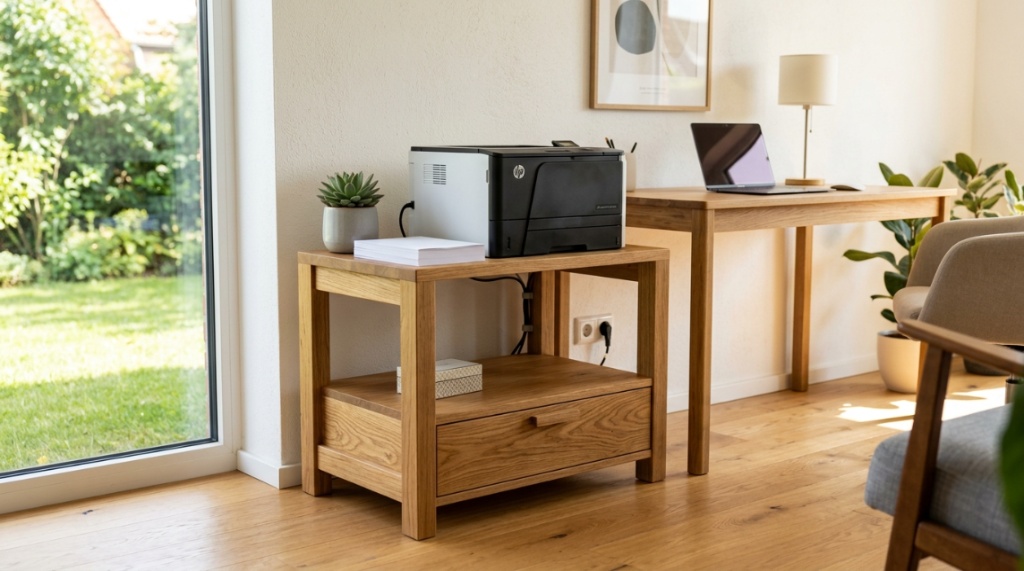
Joint construction determines whether a stand will loosen over time or stay tight for decades. Dovetail joints and mortise-and-tenon joints interlock mechanically, so they resist the constant small vibrations that printers produce. These joints become tighter under load rather than looser.
Cheaper stands use butt joints held together only by glue or staples. After six to twelve months of printer vibration, these joints often separate. You can identify quality joints by looking at the corners of drawers and where vertical supports meet horizontal shelves. If you see exposed screw heads or metal brackets, the stand likely uses weaker construction methods.
How Does the Finish Affect a Wooden Printer Stand’s Lifespan?
The finish is your stand’s armor. A proper multi-coat finish prevents moisture from penetrating the wood, which causes warping, swelling, and eventual structural failure. Look for stands with catalyzed lacquer or conversion varnish—these commercial-grade finishes are much harder than standard retail polyurethane.
Water-based finishes offer good protection with lower environmental impact, while oil-based finishes penetrate deeper but take longer to cure. Avoid stands that feel rough, show visible brush strokes, or have thin coverage on edges and corners. These areas are most vulnerable to moisture damage.
For offices with humidity fluctuations or paper dust, a satin or semi-gloss finish is easier to clean than matte. Daily dusting and occasional damp wiping will preserve the finish for years.
Can a Wooden Printer Stand with Storage Be as Durable as a Simple Shelf?
Yes, a well-designed storage stand can be equally durable. The key is how the storage components integrate with the frame. Drawers should use full-extension metal slides rated for at least 75 pounds, not plastic rollers. Cabinet doors should have sturdy hinges with soft-close mechanisms that prevent slamming and stress on the wood.
Built-in shelving should have the same thickness of wood as the main frame. Many storage stands skimp here, using thin boards for drawers and shelves. If you need storage, choose a stand where the storage compartments are constructed from the same quality material as the top surface.
What Are the Hidden Defects to Avoid When Buying a Wooden Printer Stand?
Several hidden defects can ruin a stand months after purchase. Veneer bubbling indicates poor adhesion between the thin wood layer and the substrate underneath. Gaps between boards suggest shrinkage from inadequate drying. Off-gassing odors reveal cheap adhesives that may weaken with time.
Other defects to check:
- Warped shelves that prevent level printer placement
- Drawers that stick or rub against the frame
- Laminate edges that peel away from the core material
- Hardware that feels cheap or wobbles in its mounting holes
- Uneven staining that hides lower-quality wood patches
Always inspect your stand immediately upon delivery. Many warranty claims require reporting defects within 30 days. Take photos of any issues and contact the seller right away.
When Should You Replace Your Current Printer Stand?
Replace your stand when you notice any of these warning signs: visible sagging in the middle of shelves, cracking noise when the printer runs, wobbling that cannot be fixed with leveling feet, or wood that has become soft or crumbly at any point. A sagging shelf puts uneven pressure on your printer’s feet, which can cause paper jams and alignment issues.
If your stand is made from particleboard and shows any swelling at the edges or bottom, replace it immediately. Swelling indicates moisture damage, and particleboard loses most of its structural strength once it starts swelling. Continuing to use a compromised stand risks damaging your printer.
For a reliable and affordable option that balances quality and value, consider a wooden printer stand designed with solid construction and practical storage features.
Is Solid Wood Always Better Than Engineered Wood for Printer Stands?
Not always—high-grade plywood can outperform low-grade solid wood. Baltic birch plywood uses cross-laminated layers that resist warping better than some solid woods. Engineered wood with a hardwood veneer can also offer good durability if the core material is premium plywood rather than particleboard.
The real distinction is between quality and cheap materials. A medium-density fiberboard stand from a discount store will fail quickly. A Baltic birch plywood stand from a reputable manufacturer might last fifteen years. Judge the specific product, not just the category. Read the product description carefully for terms like “engineered wood” that can cover everything from excellent plywood to poor particleboard.
What Maintenance Keeps a Wooden Printer Stand Durable Over Time?
Regular maintenance extends the life of any wooden stand. Dust the surface weekly with a soft, dry cloth. Use a slightly damp cloth for stuck-on residue, then dry immediately. Avoid cleaning products with alcohol, ammonia, or silicone, which can strip the finish.
Every six months, check and tighten all hardware. Wood expands and contracts with seasons, which can loosen screws and brackets. Apply furniture wax or polish twice a year to maintain the finish. Keep the stand away from direct sunlight and heating vents to prevent uneven drying and cracking.
If you live in a humid climate, use a dehumidifier near your office to keep moisture levels between 40 and 60 percent. Excess humidity is the most common cause of premature wood failure.
Frequently Asked Questions
How much should I spend on a durable wooden printer stand?
Expect to pay between $100 and $300 for a quality hardwood stand that will last ten years or more. Stands under $50 are almost always made from particleboard or thin MDF and will need replacement within two years.
Can I use a bookshelf as a printer stand?
A sturdy bookshelf made from solid wood can work temporarily, but most bookshelves are not designed for the vibration and concentrated weight of a printer. The shelf may sag over time, and the lack of ventilation can cause overheating.
How do I know if my printer is too heavy for my stand?
Compare your printer’s weight to the stand’s rated capacity. If the stand does not list a weight capacity, assume it can handle no more than 40 pounds. Place heavier printers on stands with four legs and a center support beam.
Are metal printer stands more durable than wooden ones?
Metal stands often support more weight but are less forgiving of uneven floors and can dent. Wooden stands from quality hardwoods offer comparable durability with better aesthetics and no risk of rust in humid environments.
How long should a good wooden printer stand last?
With proper care, a solid hardwood stand with quality joints should last 15 to 20 years. Birch plywood stands typically last 10 to 15 years. Particleboard and MDF stands often need replacement within 3 to 5 years.
Can I repair a sagging wooden printer stand shelf?
Minor sagging in solid wood can sometimes be corrected by adding a center support brace underneath. Sagging in particleboard or MDF cannot be repaired effectively—the material has already lost its structural integrity.
Does the color of the finish affect durability?
The color does not affect durability, but the type of finish does. Darker finishes may hide minor scratches better, but clear lacquer or polyurethane provides the same protection regardless of color.
Investing in high-quality office furniture means you buy it once rather than replacing cheap particleboard every two years. Making deliberate, long-lasting purchases is a foundational step toward conscious spending. If you are looking to reset your budget entirely, check out these 15 No-Spend Month Rules to Transform Your Financial Habits to help jumpstart your savings while building a workspace that lasts.
Conclusion
A durable wooden printer stand is an investment in your office’s efficiency and your printer’s longevity. Focus on solid hardwood or high-grade plywood, quality joinery, and a weight capacity that exceeds your needs by 50 percent. Inspect for hidden defects, maintain the finish, and replace any stand that shows signs of structural failure. By choosing wisely now, you avoid the frustration of a wobbly, sagging surface and protect your expensive printing equipment for years to come. Take the time to compare options, read verified reviews, and prioritize construction quality over low price. Your printer—and your peace of mind—will thank you.




Leave a Reply